Storm season, reconciled.
Salesforce automation for a snow removal contractor.
Getting paid late, and sometimes not at all
A snow removal contractor's largest customer only paid for services that also showed up in the customer's own system. After every storm, the office spent days matching two lists by hand. Anything missed was money left on the table.
So we rebuilt the process in Salesforce so it mostly runs itself.
From storm to invoice
Confirmations flow in on their own
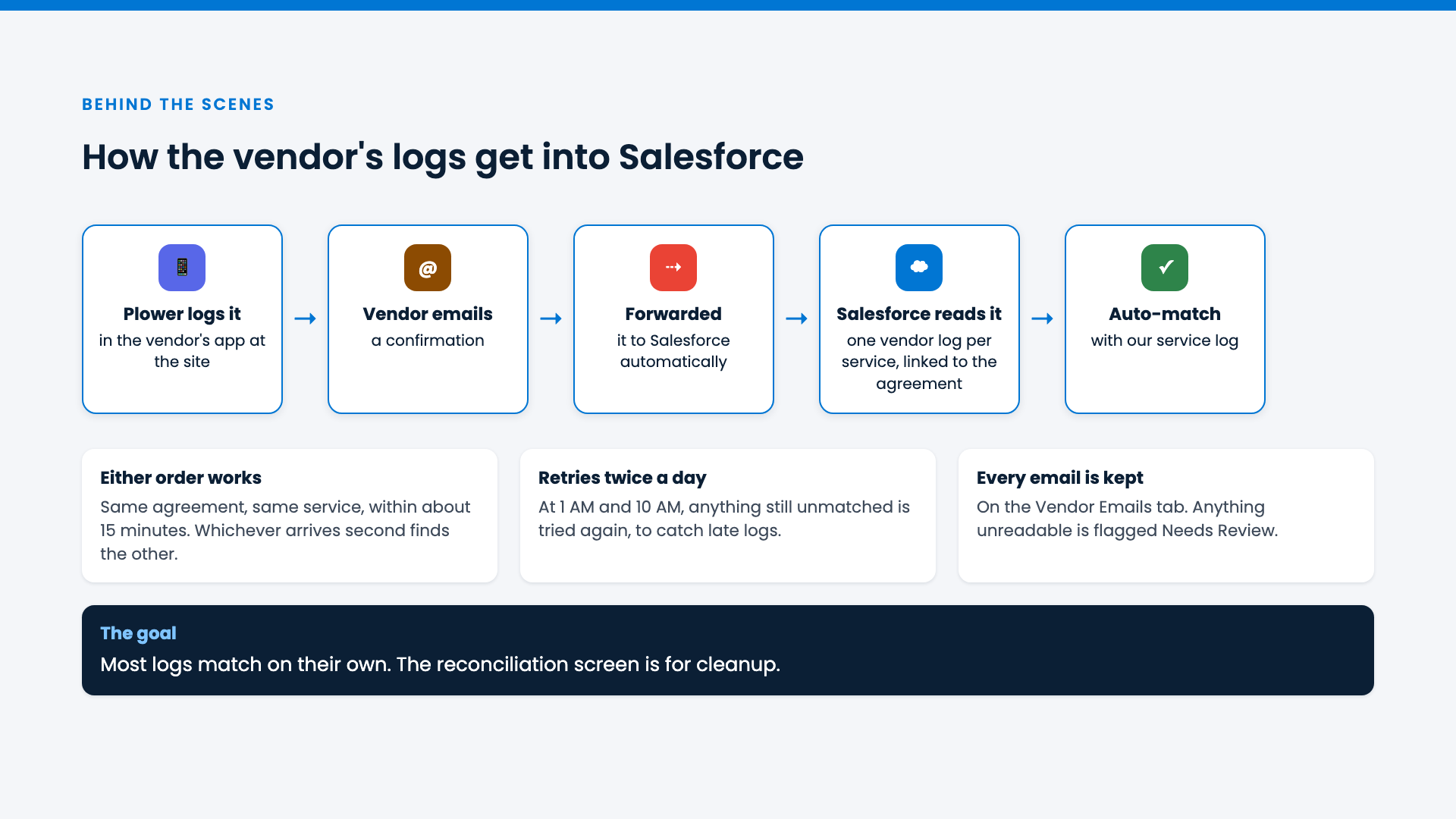
The customer's confirmation emails land in Salesforce automatically and become clean records. No logging in, no reconnecting, no batch limits.
Most records match themselves
Salesforce pairs the crew's logs with the customer's records as they arrive, whichever comes first. It checks again twice a day to catch late entries.
One screen for what's left
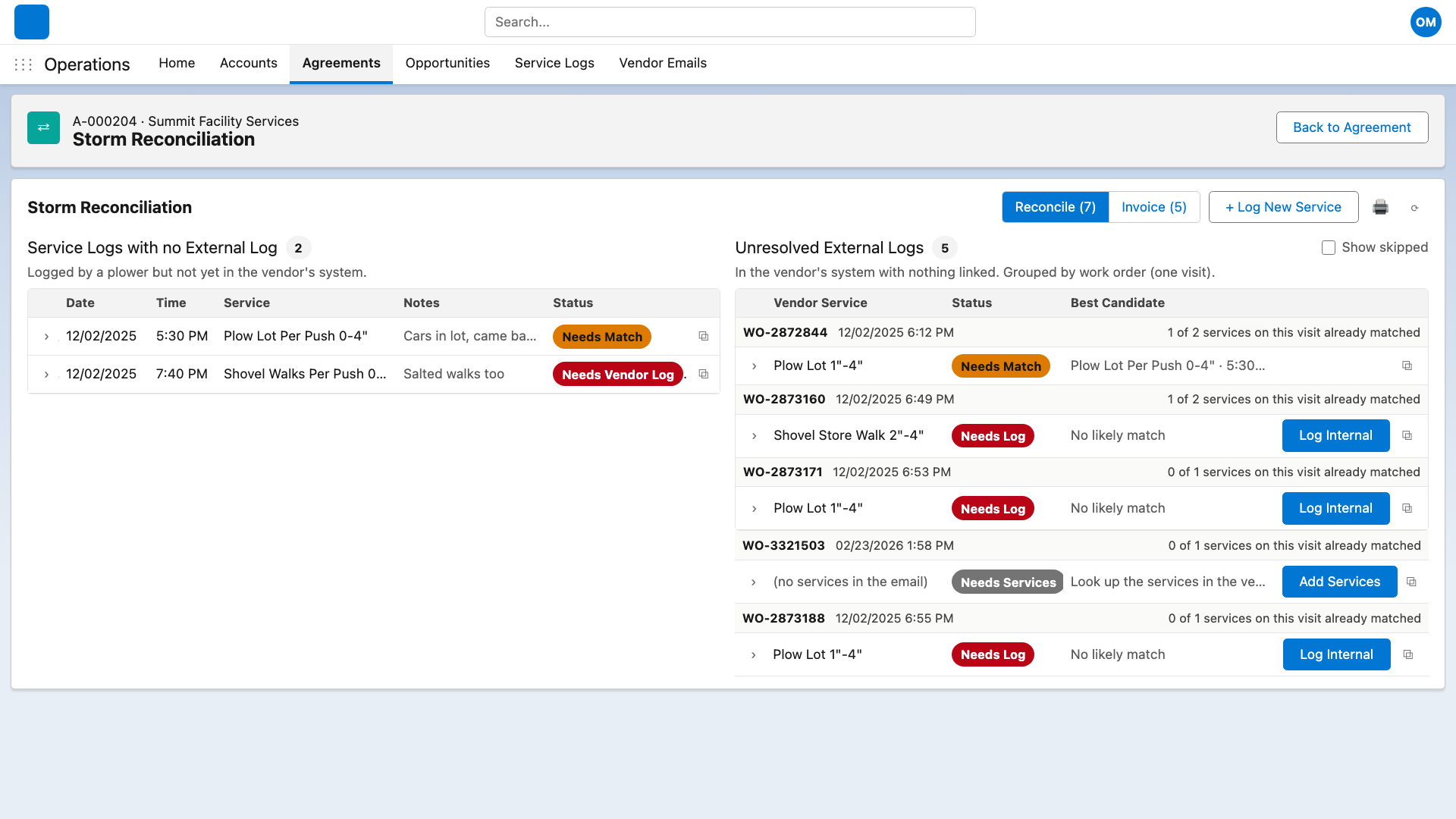
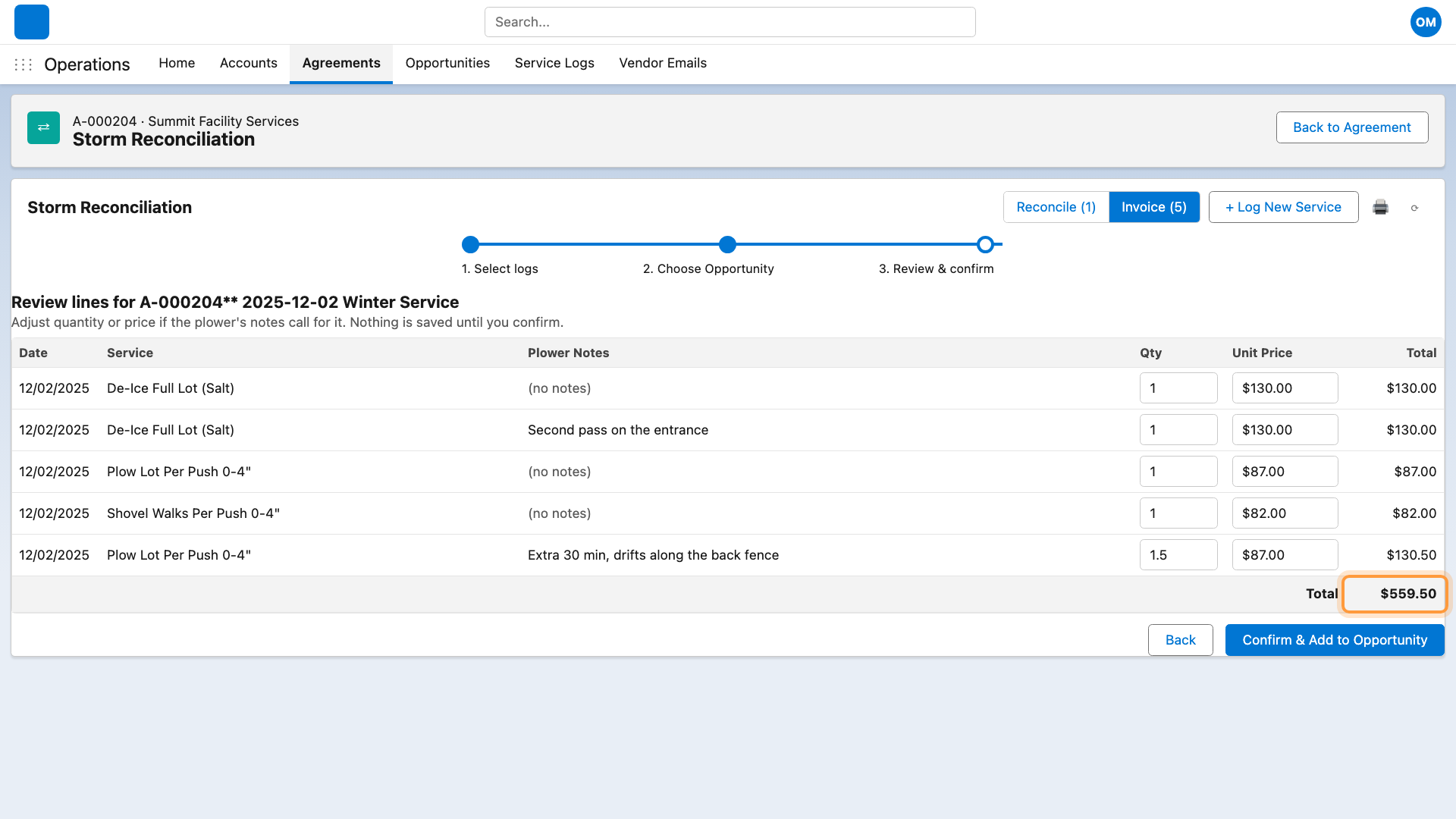
Exceptions show up side by side, each clearly labeled with what it needs. Suggested matches are one click. Missing records are created pre-filled.
Invoices checked before they're sent
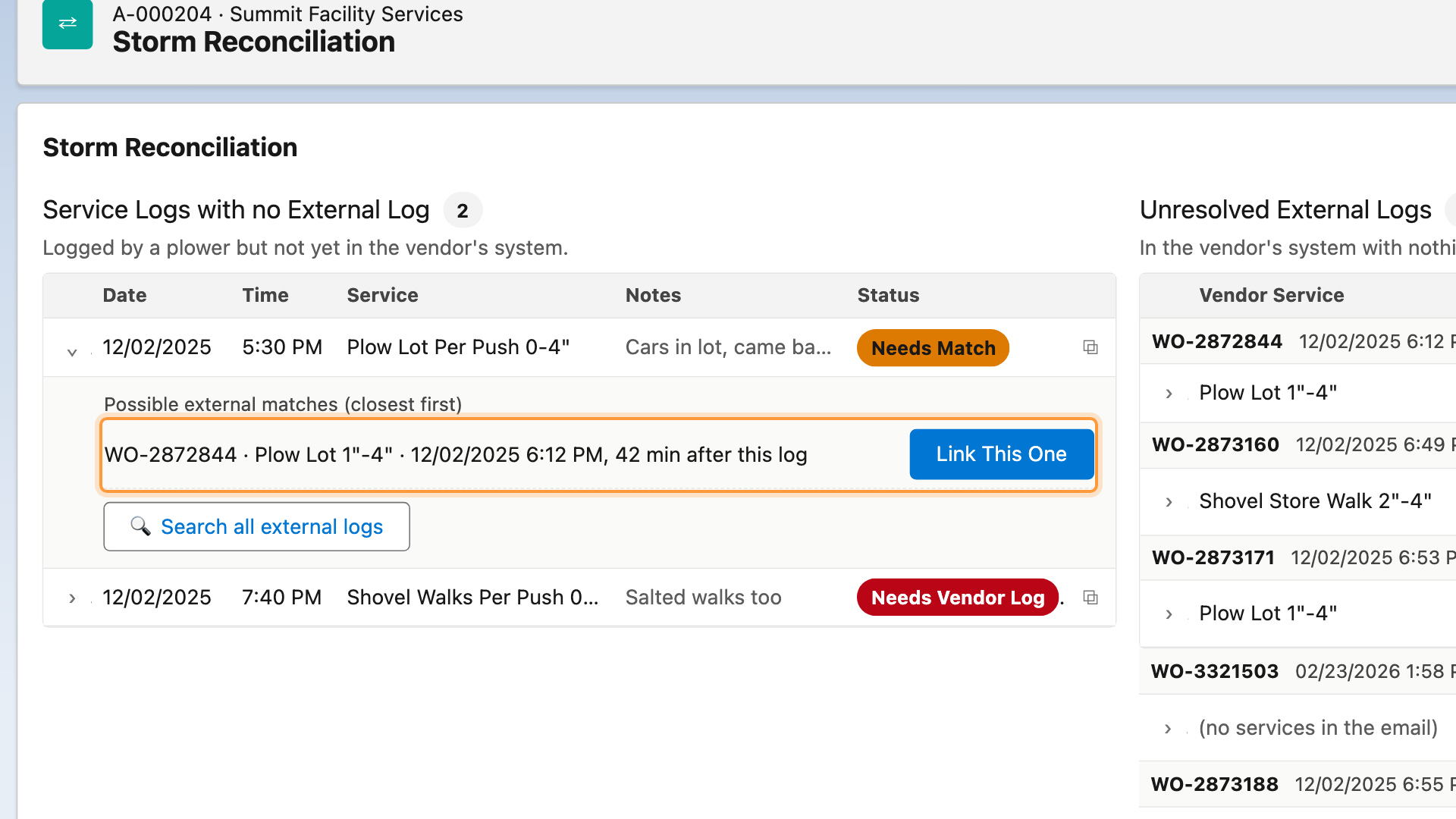
Crew notes sit right next to quantity and price, so extra work gets billed correctly.
A report anyone can read
A printable summary shows what's matched, what needs attention, and likely duplicates.
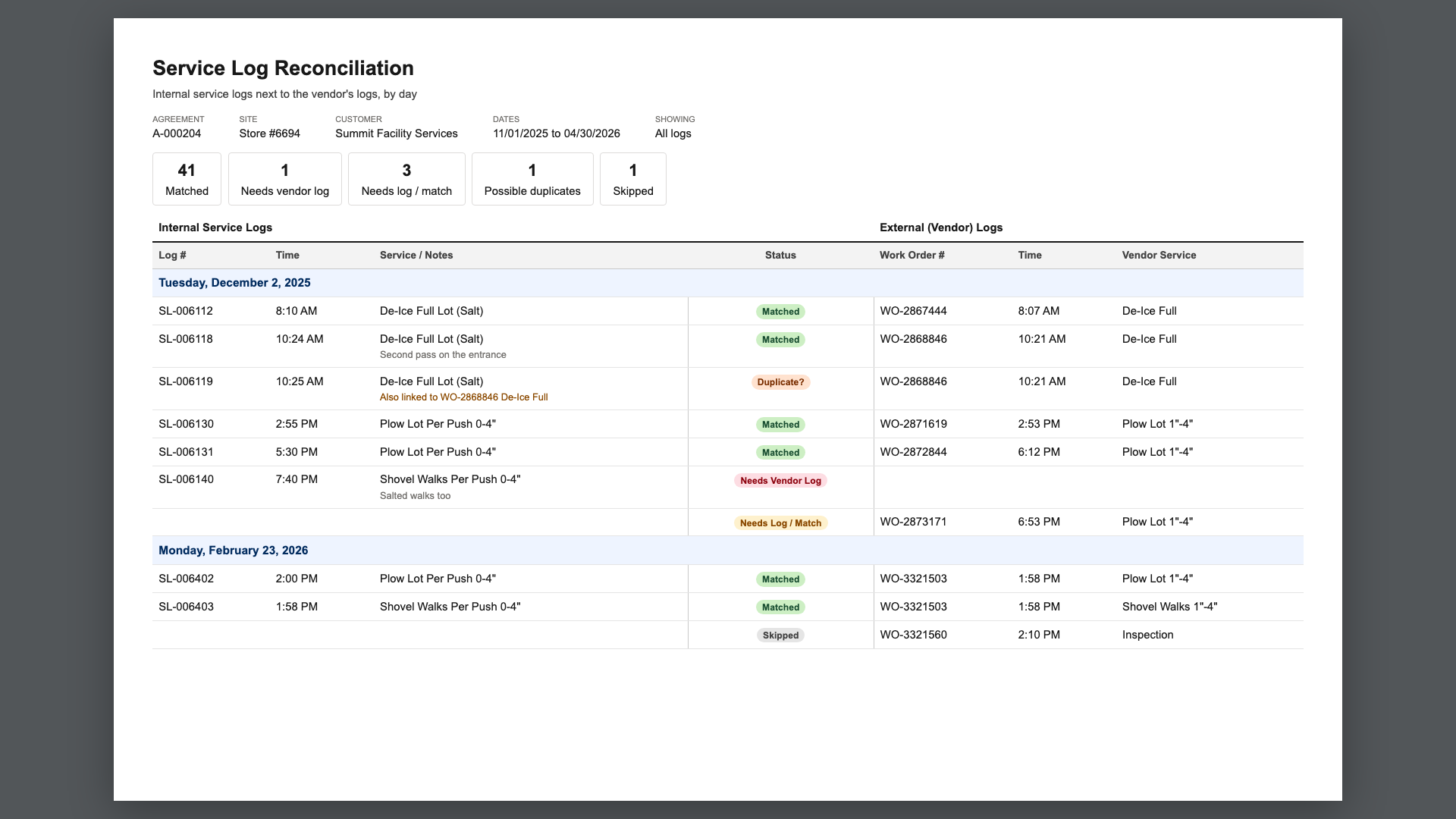
Days of post-storm paperwork, down to about an hour.
Reconciliation that keeps pace with the storm, no more missed payments, and invoices that go out faster and more accurately.
Have a process that eats your team's time?
Tell me about it. Chances are it can run itself, too.
Book a free 30-minute call